
CogLake AI Workspace
From company context to work that gets done.
One workspace for conversations, capable agents and recurring tasks. Connected to your Knowledgebase, with models, tools and permissions managed in one place.
 OpenAI
 Anthropic
 Gemini
 OpenRouter
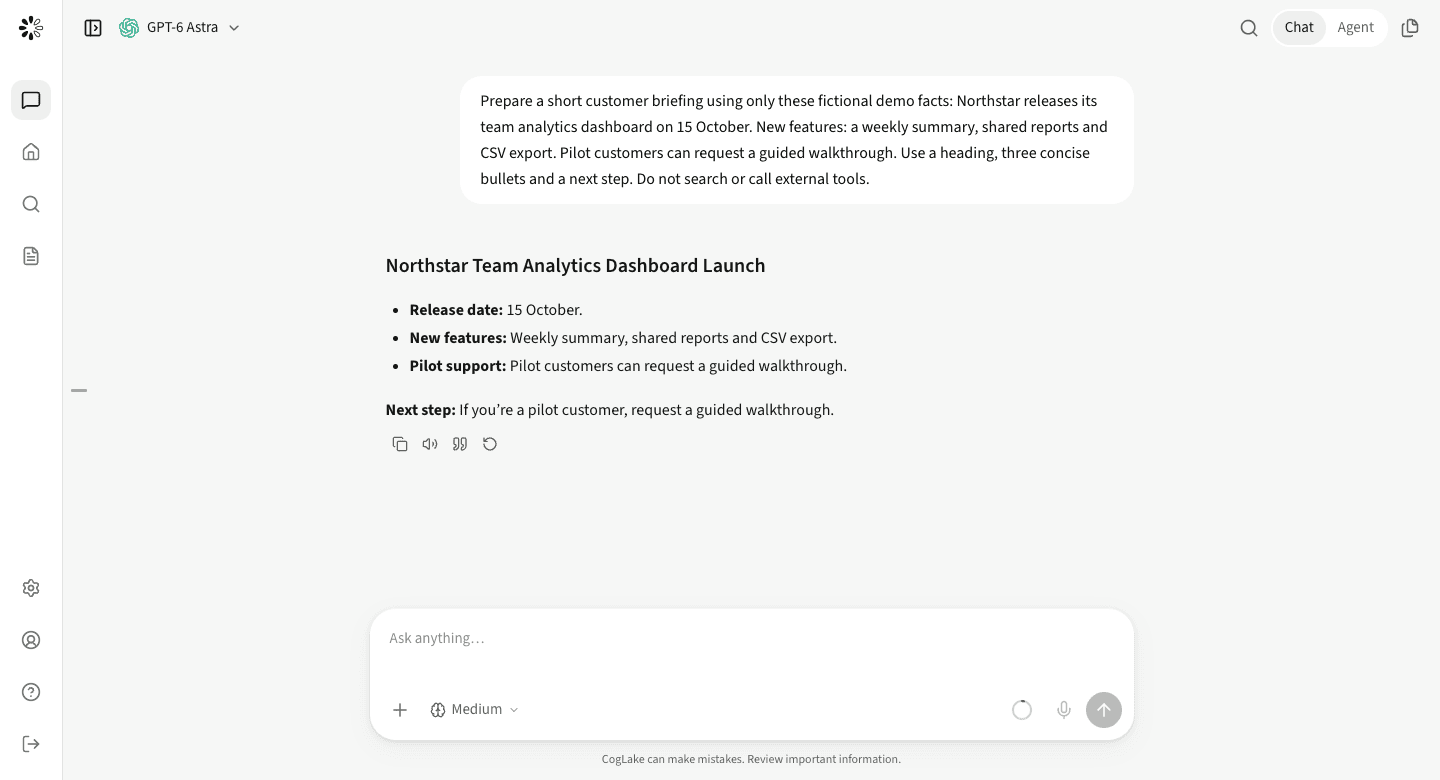
Start with a conversation
Familiar chat. Context that belongs to your business.
Ask a question, attach a document or image, and research the web. Choose an approved model for the task while your company knowledge stays connected through permission-aware access.
- Conversations, projects and files
- Web search and model-supported image inputs
- Sources and usable document results
Isolated agent browser
Research websites. Follow the work.
The assistant answers directly or uses permitted tools, without a mode switch. It can navigate websites and interact with web interfaces in an isolated browser, work with files and run code. Inspect steps in the work log and approve actions when required. Isolation does not promise anonymity or access past website restrictions.
- Browser research alongside the conversation
- Tools, MCPs, specialized skills and isolated execution
- Organization policies also apply to browser actions
- Brief
Summarize the changes to our product offering and prepare a customer briefing.
- Context
Read authorized product documents and current notes from the wiki.
- Result
Create a sourced briefing and make it available for review.
24/7 agents
Work continues when you close the tab.
Create an agent with instructions, multi-layer memory and its own workspace. Schedule a morning briefing or start a task from a configured event. Runs execute on the server without an open chat; permissions, approvals, runtime limits and model budgets remain in force.
- Persistent workspace, instructions and memory
- Schedules and event-driven jobs, with inspectable results
- The same central access and model policies
Agent workspace
Instructions
Saved progress
Files and results
Continue the task instead of rebuilding the context every time.
Automations
The right task. At the right time.
Choose a trigger, give clear instructions and select the skills or services the agent may use. Run it manually to test, then inspect each execution in the run history.
- Schedules, intervals and one-time runs
- Webhooks, HTTP and connected events
- Manual tests, pause controls and run history
- Every weekday · 08:00Europe/Berlin
- Prepare a product briefingKnowledge sources + approved tools
- Review the resultApproval according to policy
Central skill and plugin management
One library. The right capabilities for each role.
Provide company-managed MCP connections and skills. Release resources to selected roles, control personal installations and decide which tools may run. Source permissions and action approvals remain separate safeguards; enabling a plugin never grants blanket access to company data.
- Central library with role-based access
- Personal connections only when organization policy permits
- Tool-level controls, action approvals and audit history
Privacy mode
Protect sensitive text before the model sees it.
The AI privacy layer detects supported sensitive data and substitutes placeholders before model transmission. Administrators set categories and can require protection for chats, agents and automations. This is separate from Knowledgebase reader policies and does not mask authorized human document views.
- Optional or mandatory model-boundary protection
- Detected text in conversation context and supported tool exchanges
- Not guaranteed anonymity: approved tools can receive original values; unsupported binary inputs can be blocked
Models and providers
Your models. Your operating choices.
CogLake connects its model offering, your own API keys and self-hosted models in one workspace. Your organization’s administrators control which providers and models employees can use.
- BYOK: OpenRouter, OpenAI, Anthropic and Gemini
- Self-hosted models through Ollama and vLLM
- Provider controls, usage visibility and BYOK policy
ChatGPTClaudeGemini Mistral AI
Results, not just responses
Keep the work. Review it where it happens.
Open documents, spreadsheets, PDFs, images and code beside the conversation. Download the result or add an authorized artifact to the Knowledgebase.
- Office, PDF, tables, media and code previews
- Static HTML previews with restricted execution
- Downloads and permission-checked knowledge handoff
Review, download or add to the Knowledgebase with the required permissions.
Good to know
Frequently asked questions
How do chat, agents and automations differ?
In chat, the assistant can answer directly or use permitted tools for multi-step tasks, without a separate mode switch. A personal agent retains its workspace and memory for ongoing work. Automations start defined tasks on a schedule or event.
Can employees use their own providers?
If company policy allows it, employees can add personal API keys and resources. Administrators can restrict provider access and offer centrally managed connections instead.
Does an agent act without asking?
That depends on the selected approval mode, allowed and denied actions, and organization policies. Required approvals appear in the conversation; central restrictions cannot be bypassed by the user mode.
Is model usage included in Knowledgebase pricing?
Knowledgebase works independently. Add AI Workspace for chats, agents and automations, with monthly model usage included per user. Additional usage requires authorised credit. BYOK usage is billed by your connected provider.
Start with your use case.
See sources, access controls and a relevant workflow together, not as an isolated list of features.