
GDPR
PrivacyControls for your data
Knowledgebase + AI Workspace
Connect knowledge once. Put 24/7 agents to work. Protect sensitive data before it reaches the model, with central rules for roles, skills and plugins.
Two products. One knowledge advantage.
Start with the Knowledgebase. Put your knowledge to work in your existing AI tools or add the integrated AI Workspace.
The standalone foundation
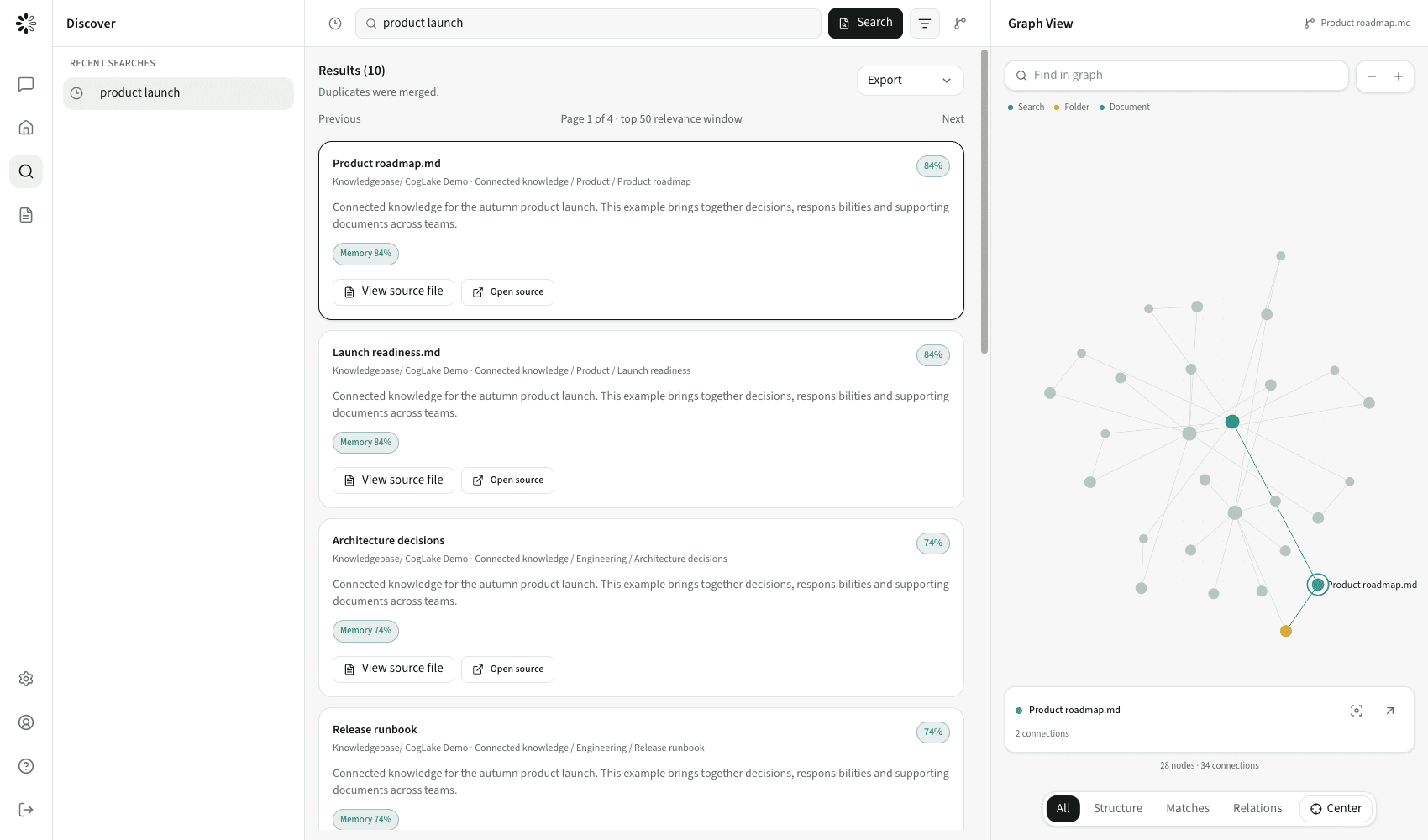
Connect your sources. Keep knowledge current. Find reliable context, with an integrated wiki and the right access controls.
The integrated extension
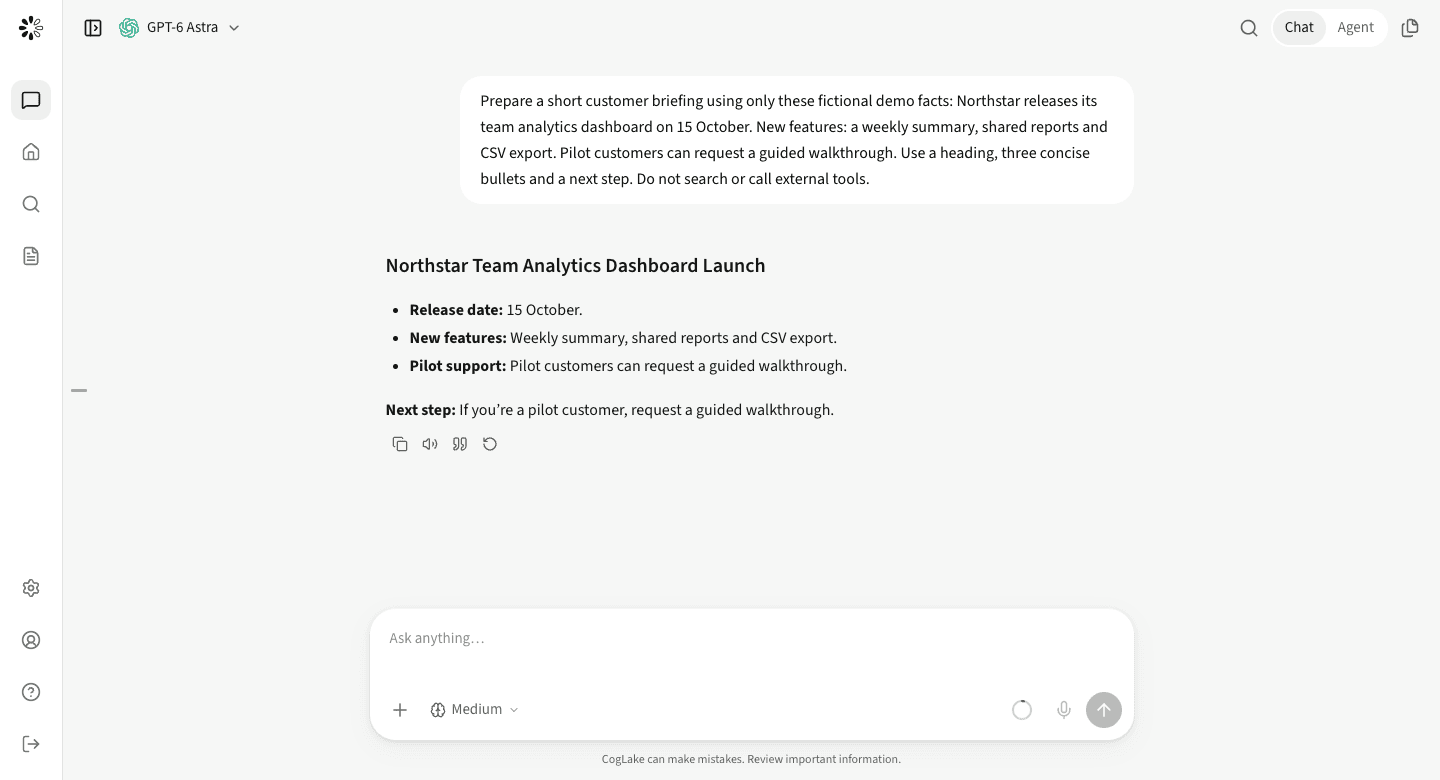
Turn context into results with model choice, agents and automations in one centrally managed workspace.
More than an AI chat
24/7 agents, privacy mode and centrally managed capabilities work together. You decide which knowledge, tools and actions are allowed.
Prepare a morning briefing, monitor a market or follow up on new documents. Agents and automations run on the server, on a schedule or configured event, even when you are not in the workspace.
Use schedules, email, webhooks, HTTP polling, RSS and knowledge or connector events. Permissions, approvals, runtime limits and available model budgets still apply.
The AI privacy layer can replace detected sensitive text with placeholders before model transmission. Administrators can make protection optional or mandatory. Knowledgebase policies also protect supported AI retrieval and MCP paths.
Your authorized human view stays readable. Detection is not a guarantee of anonymity. Approved external tools may receive original values; their own data-processing terms still apply.
Provide a shared library of skills and MCP connections. Decide which roles may use each resource and whether employees can add personal connections, instead of configuring every employee separately.
Source permissions and action approvals remain separate checks. A plugin release does not grant access to every document or override a blocked action.
Research websites, follow pages and work with web interfaces in an isolated agent browser. Inspect its steps alongside the conversation instead of switching between disconnected research tools.
Browser access follows configured policies. Isolation is not anonymity or guaranteed access: website restrictions, logins and required approvals still apply.
Ask a short question or describe a multi-step task without choosing a separate agent mode. The assistant can answer directly or use permitted tools when the task calls for them.
An isolated execution environment starts only when needed. Dedicated agents keep their own settings and workspace; chat routing does not replace those controls.
Current task context, an agent’s saved workspace and instructions, optional personal memories across chats, and permission-aware Knowledgebase access serve different purposes. Keep useful context without treating everything as shared knowledge.
Control personal memories in settings and optionally store them as editable Markdown in your own private workspace. Scheduled jobs use their agent’s configured instructions and resources.
The complete stack
Your sources stay connected. Your knowledge becomes usable. People and agents work from the same foundation.
Context makes the difference
Your AI should not start from scratch. Your company does not.
Current documents, established decisions and internal expertise give AI work its foundation. CogLake makes that knowledge accessible, discoverable and useful to the right people and agents.
Explore the shared foundationAI Workspace
From the first conversation to a recurring task: shared context, clear permissions and results you can inspect.
An agent researches, checks sources and prepares a grounded draft. You decide what happens next.
A personal agent works with its workspace and prepares recurring updates on the topics that matter to you.
A trigger starts the task. Tools carry out permitted steps. Approvals keep you involved in consequential actions.
Summarize the changes to our product offering and prepare a customer briefing.
Read authorized product documents and current notes from the wiki.
Create a sourced briefing and make it available for review.
Control throughout the workflow
A consistent governance model for your knowledge and AI work, from the first lookup to the action that follows.
Source and workspace permissions determine which information an employee or agent may retrieve.
Approve providers, MCPs and skills. Decide which personal extensions are allowed.
Approval modes, allow/deny rules and audit make agent work inspectable.
Model freedom
CogLake connects its model offering, your own API keys and self-hosted models to the same knowledge foundation. Your organization decides which models employees may use.
Models and providers ChatGPT
 Claude
 Gemini
 Mistral AI
Company context for your teams’ AI tools – through API and MCP
ChatGPTClaudeGemini GitHub CopilotMistral AI
Benchmark-tested retrieval quality
Public datasets and recorded tests make retrieval quality, source permissions and index consistency inspectable.
Good to know
No. The Knowledgebase can be purchased and used independently, including its search, wiki and authorized API/MCP access. AI Workspace is an optional integrated extension.
In chat, the assistant can answer directly or use permitted tools for multi-step tasks, without a separate mode switch. A personal agent retains its workspace and memory for ongoing work. Automations start defined tasks on a schedule or event.
If company policy allows it, employees can add personal API keys and resources. Administrators can restrict provider access and offer centrally managed connections instead.
That depends on the selected approval mode, allowed and denied actions, and organization policies. Required approvals appear in the conversation; central restrictions cannot be bypassed by the user mode.
Knowledgebase works independently. Add AI Workspace for chats, agents and automations, with monthly model usage included per user. Additional usage requires authorised credit. BYOK usage is billed by your connected provider.
Your next step
Knowledgebase on its own or with AI Workspace: find the right starting point for your organization.
Book a walkthrough